
For players
Update or cancel your reservation
By Tim Sullivan Updated
Plans shift. Stuck in traffic. Bailing on the game entirely. Slaydate lets you tell the organizer without a single text message or awkward DM.
Everything happens from the same little panel on the event page (or on your ticket). Sign in first so the app knows it's you.
Open the note panel
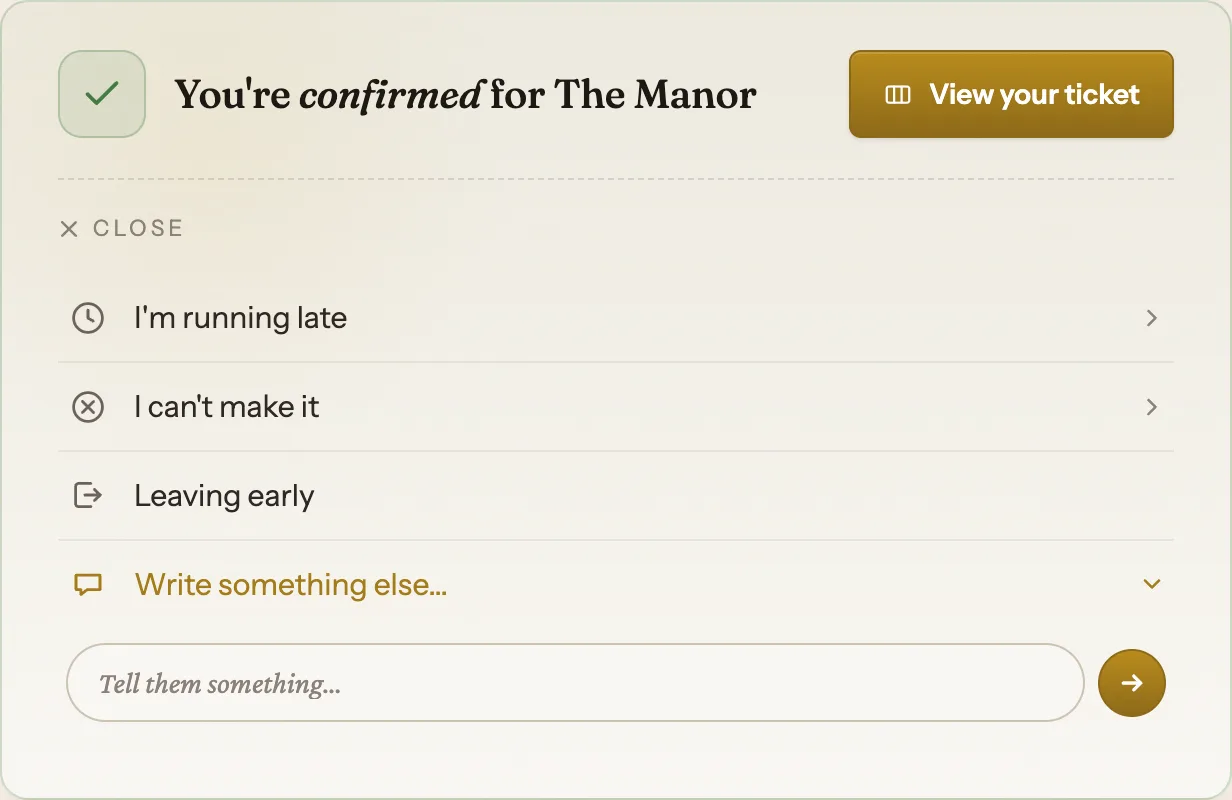
Once you're signed in and registered, your spot shows up at the top of the event page. A confirmed player sees "You're confirmed for The Manor" with a "View your ticket" button.
Under that sits a collapsible panel: "Running late, or something changed? Send the organizer a note." Tap it to open. The same panel lives on your ticket, so use whichever you've got handy.
Say you're running late
Pick "I'm running late," then tap an ETA chip: 5, 10, 15, 30, or 45 minutes, 1h, 90m, or "longer" if you really can't say.
That's it. One tap sends it. Marguerite sees it on her Notes tab right away, plus a badge next to your name so the door knows to expect you.
Leave early or write your own note
"Leaving early" is a single button. Tap it and the organizer knows you'll duck out before the last game wraps.
Need to say something specific (dietary thing, bringing a friend, running to a 1h ETA but it's complicated)? Use "Write something else..." and type into the box. All of these reach the organizer the moment you send them.
Cancel your spot
Cancelling is the "I can't make it" option. Tap it, optionally type a reason in the box ("Tell them why, or just press the arrow"), and send. Slaydate flips you to not attending and frees up your seat.
Even a bare "can't make it" with no reason still pings the organizer that you've stepped out. They just don't get a note in the feed, only the heads-up.
One thing to know: your seat does not auto-pass to the next person on the waitlist. The organizer reassigns it by hand, so the timing is up to them.
If you're on the waitlist rather than confirmed, this is the only option you'll see. Makes sense, since you don't have a seat to manage yet.
Change your mind and add yourself back
Cancelled too soon? After you decline, the card shows "Changed your mind? Add me back to the waitlist." Tap it and Slaydate restores you.
Two catches. It only works while signups are still open for the event. And if your old seat already got filled while you were out, you'll land back on the waitlist instead of straight into a confirmed spot. You'll get an email either way telling you where you ended up.
Notes are the polite way to keep the door running smoothly. A quick "running 15 late" beats a no-show every time, and the organizer can plan around it.
If you cancelled and signups have since closed, the add-me-back link won't help. Reach out to the organizer directly and ask to be squeezed in.